
Synonyms
With this feature, you can add synonyms for search phrases. When a user then searches for a something, the search query is extended by the synonyms.
These synonyms have to be added by an editor, there are no predefined synonyms.
In a "Synonym" table you can add a search phrase and the corresponding synonyms.
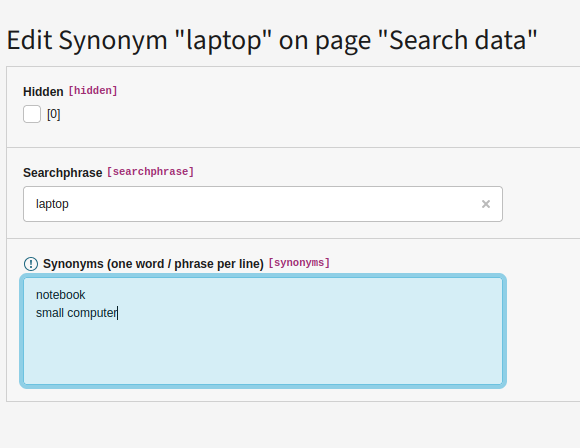
Example: If someone searches for "laptop" you can create a new synonym record to search also for "notebook".
The search will be executed in an OR combination. You can add more than one synonym for a given search phrase.
The synonym feature will not work together with the Sphinx feature.
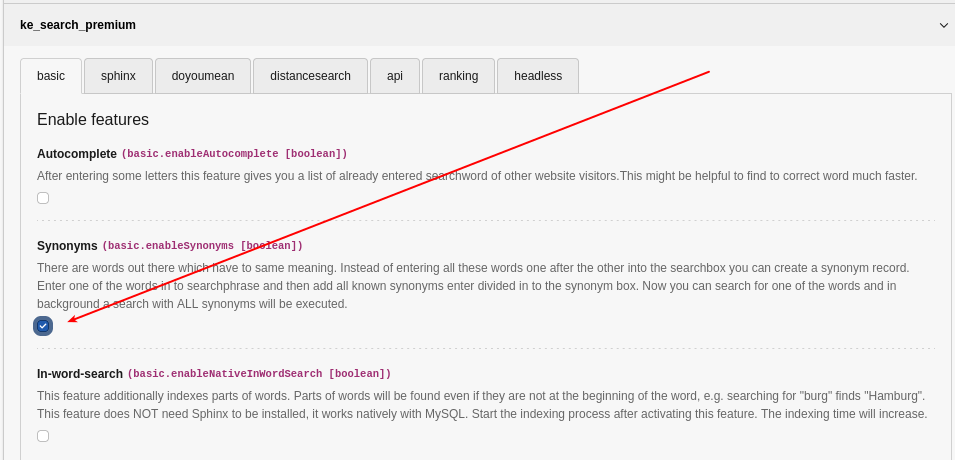
Activate the synonym feature
Please activate this feature in extension configuration first.
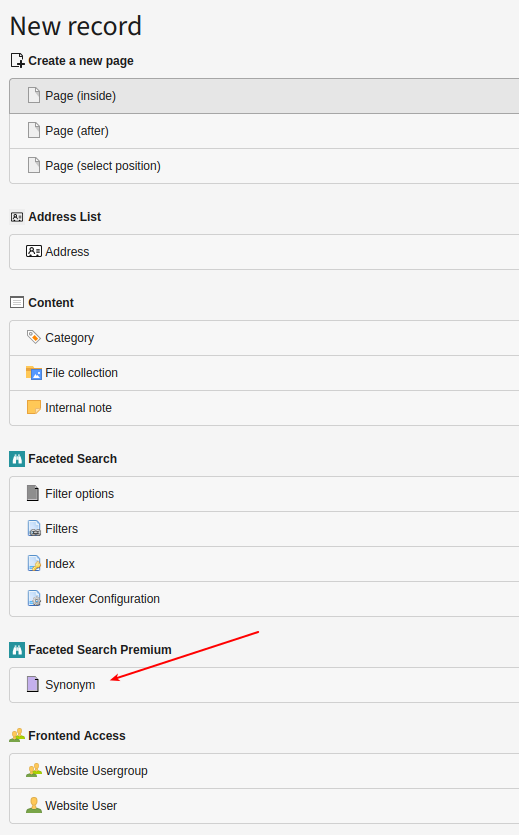
Add synonyms
In order to add synonyms, please use the "List" module, and add "Synonym" record in your search storage page (where your indexer configuration is stored).
You have to enter each synonym in one line (divided by a line break).
Note
Synonyms are added as "phrases". That means your synonym must exactly appear in your content as written in the synonym list. Example: You add some synonyms for the search word "laptop" (as in the screenshot above). If you enter "notebook" as a synonym, but your content only contains "notebooks" (plural), it will not be found. You will have to add "notebooks" as a synonym as well (in a separate line).
Note
The synomyms are also used "backwards". Example: Your search word is "laptop" and you have added "notebook" as a synonym. If you now search for "notebook", the search will also find results for "laptop".