
Autocomplete
The autocomplete feature proposes search words as the user begins to type.
The phrases proposed in the autocomplete feature are taken from real search words other users used. Only phrases which gave results in the past are proposed. The words are taken from the search word statistics table.
To activate this feature, you have to mark the checkbox "use statistics" on the first tab of the ke_search plugin (activated by default). With each search, the statistics table will grow and more results will appear in the autocomplete function.
Since version 5.0.6, the autocomplete feature takes the language into consideration. If you have a multi-language site and the search words are different in each language, the autocomplete feature will only propose words from the language of the current page.
Note
This feature works if you insert the search box as a plugin on a TYPO3 page and also if you create a search box via TypoScript to display it on every page. However, you may have naming conflicts if you have two search boxes on the result page, so it is recommended to only have one search box per page.
For all versions greater than 3.0.0, ke_search_premium does not use jQuery anymore to implement the autocomplete feature but implements it in "vanilla javascript".
Content Security Policy (CSP)
Since version 7.0.0, the autocomplete feature is compatible with TYPO3's Content Security Policy (CSP). The logic is stored in an external JavaScript file, and configuration data is passed to the search input elements via data attributes. If your TYPO3 setup uses CSP nonces, these will be automatically applied to the configuration script.
Configuration
You can enable/disable the autocomplete feature in the settings module in the extension configuration.
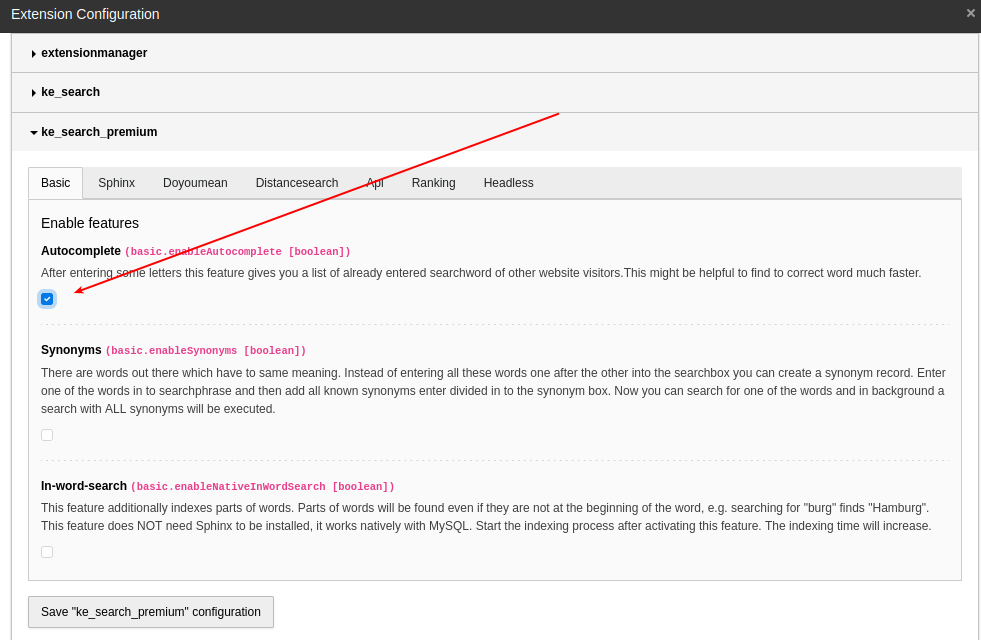
After enabling the checkbox for autocomplete and a "clear cache", the needed TypoScript files will be included automatically; there's no need to add a template manually.
Adding your own autocomplete words
If you want to add your own words to the list of proposed words, please have a look at:
Classes/Middleware/Autocomplete.php
There's a hook to include your code (search for "modifyAutocompleWordList").
Configuration options
These are the configuration options for plugin.:
| Value | Type | Description | Default |
|---|---|---|---|
| amount | Integer | If autocomplete finds a mass of records, it's better to reduce the results in the select box to a lower number. In normal cases, 10 results should be enough, but you can change this value here. | 10 |
Note on JavaScript and CSS files
After activating this feature in the extension configuration, two static TypoScript files will be included automatically:
EXT:ke_search_premium/Configuration/TypoScript/Autocomplete/constants.typoscript
EXT:ke_search_premium/Configuration/TypoScript/Autocomplete/setup.typoscript
In the setup. file, one CSS and several external JavaScript files are
included:
EXT:: CSS for styling the suggestions.ke_ search_ premium/ Resources/ Public/ Css/ auto- complete. css EXT:: The autocomplete library.ke_ search_ premium/ Resources/ Public/ Javascript/ auto- complete. min. js EXT:: The initialization logic for autocomplete feature.ke_ search_ premium/ Resources/ Public/ Javascript/ ke_ search_ premium_ autocomplete. js
If the autocomplete feature does not work as expected, make sure those files don't conflict with your custom CSS and JavaScript.